Prompt to video

Text to Car Video

Sometimes there is no photo. You have a shot in your head: a black coupe under a sodium streetlight, a rally car throwing gravel, a concept car on a turntable. Text to car video turns that description into a short clip without a reference image.

The skill is not writing a longer prompt. It is naming the subject, the scene and the camera move, then stopping. The studio fills in the technical defaults so you can focus on the shot.

Clips on this page are AI-generated previews. They are fictional and not a record of a real event.

Updated 20 October 2026

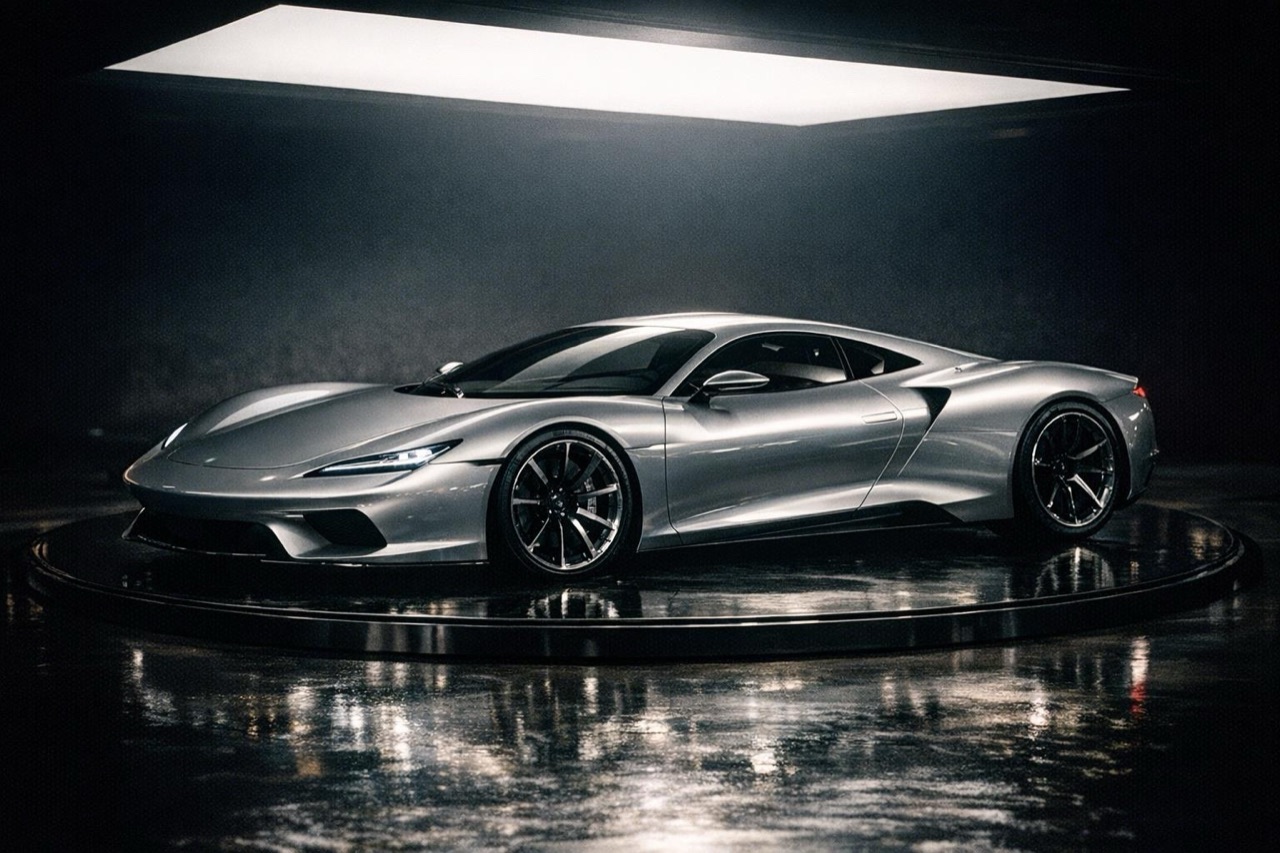
A concept sports car on a turntable in a dark studio, generated from a text prompt
Length
5–12 seconds
Resolution
480p · 720p · 1080p
Aspect ratio
9:16 · 16:9 · 1:1
Watermark
None on paid renders
Model
Seedance 2.0
Moderation
SeeAPI, fail-closed

No source photo needed

Describe the vehicle and the scene. This is the right mode for concepts, mood boards and shots where the real car is not available.

One camera move per clip

A single clear move reads better than five. Push in, track sideways or orbit; do not ask for a cut in a five-second render.

Prompt structure that works

Subject, scene, light, camera, then the negatives. The presets follow that order, and you can copy the structure for your own shots.

How it works

  1. 1

    Name the car

    Use plain descriptive language: a low silver coupe, a boxy 1980s hatchback, a long-hood grand tourer. Avoid brand names unless you have the rights to use them.

  2. 2

    Set the scene and light

    One location and one light story. A floodlit ramp at night is a scene. A ramp at night and a beach at sunset is two scenes, and the model will pick one badly.

  3. 3

    Choose the camera

    A chase shot, a low side track, a slow orbit or a static hero angle. Keep the move physically possible for the length of the clip.

  4. 4

    Add the negatives

    No crash, no people, no text, no watermark. Negatives are cheap and prevent the most common failure modes in car renders.

Start from a tested prompt

Each prompt is complete: subject, scene, camera and what must not change. Copy it or open the studio with it pre-filled.

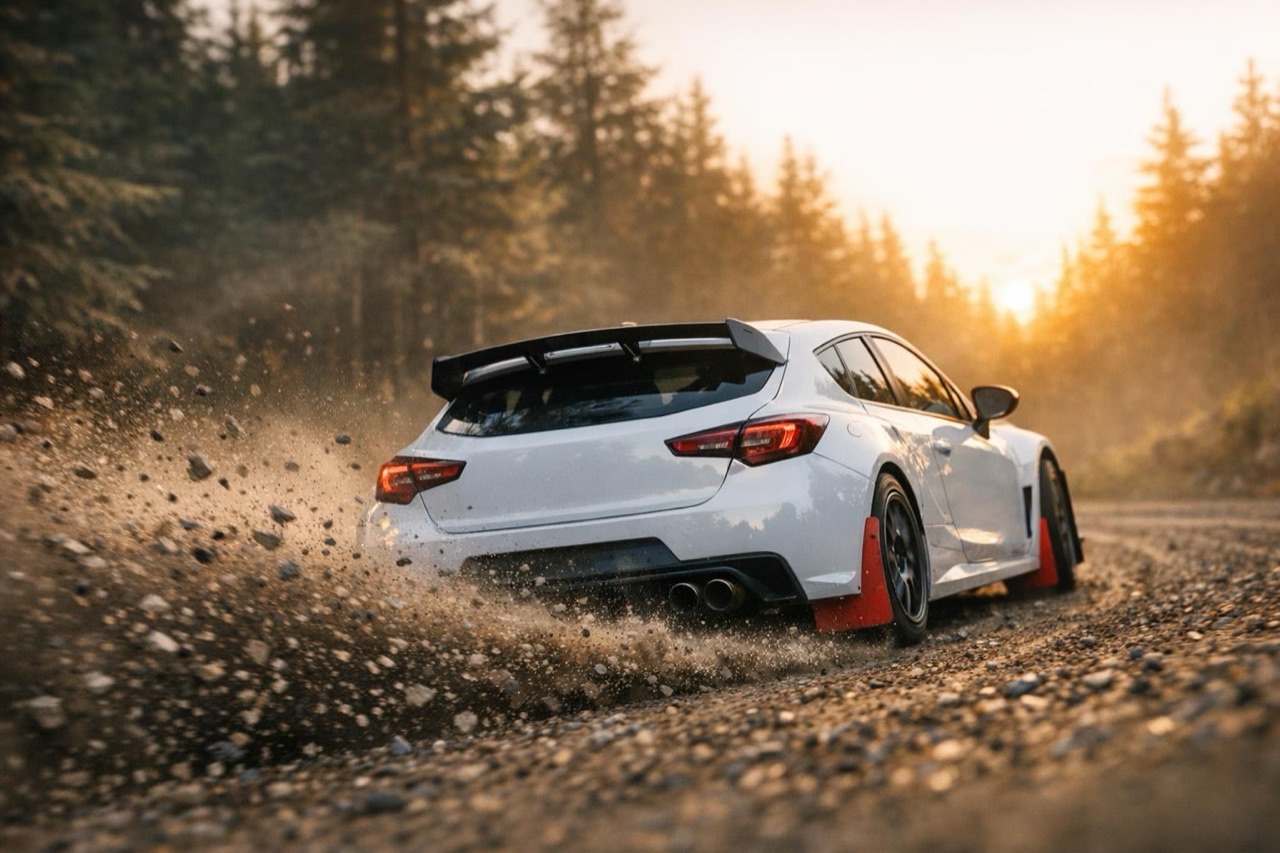
A rally car throwing gravel on a forest stage, generated from a text prompt

Sodium Street

A black coupe under orange streetlights, low tracking shot.

Prompt (English)

A black mid-engine sports car with silver wheels on an empty city street at night, sodium streetlights overhead, wet asphalt. One low side-tracking camera moves with the car at wheel height. The car holds a steady speed and does not drift. No other vehicles, no people, no text, no watermark, no crash. Vertical 9:16.

Use in studio

Gravel Stage

A rally car on a forest stage, dust and morning light.

Prompt (English)

A white rally hatchback with mud flaps and a roof vent on a gravel forest stage at sunrise. The car powers through a gentle left-hand bend, throwing a controlled spray of gravel. One low chase camera follows from behind and to the side. Keep the car shape consistent. No crash, no people, no text, no watermark. Vertical 9:16.

Use in studio

Turntable Concept

A concept car on a studio turntable, slow orbit.

Prompt (English)

A low silver concept car with a long hood and covered rear wheels on a dark studio turntable. Soft overhead light box, polished floor, no background clutter. The camera orbits slowly around the front three-quarter view. Keep the proportions and lighting consistent. No people, no text, no watermark. Vertical 9:16.

Use in studio

A prompt template you can reuse

Start with the subject: a dark grey mid-engine sports car with silver wheels. Add the scene: a floodlit industrial yard at night, wet concrete, red light strips. Add the camera: one low tracking shot from the front three-quarter angle, moving with the car. Add the constraints: keep the body proportions consistent, no people, no text, no crash.

That is enough for a five to twelve second clip. Longer prompts usually add contradictions rather than detail. If you want a different look, change one element at a time so you can tell which change did the work.

Where text to video beats a photo

Text is better when the car does not exist yet, when the photo is unusable, or when the concept matters more than the specific vehicle. It is also the fastest way to test a visual direction before a shoot.

A photo is better when the viewer must recognise a specific car: a customer build, a dealer listing, a car with a known livery. In that case, use photo to car video and keep the text prompt for the scene.

Common prompt mistakes

The first mistake is asking for a story. A five-second clip cannot show a chase, a crash, a reaction and a hero shot. Pick one beat. The second is stacking style words: cinematic, 8K, masterpiece, award-winning. They add no information the model can act on.

The third is forgetting the negative list. Without it, renders often add text, a second car or a person in the background. The presets include the negatives for a reason; keep them when you write your own.

Questions people ask

Can I generate a car video without a photo?

Yes. Text to video creates the car and the scene from your description. You do not need to upload anything, and the result is a complete clip rather than an edit of an existing photo.

Should I use text to video or photo to video?

Use photo to video when a specific real car must stay recognisable. Use text to video for concepts, mood boards and shots where no usable photo exists.

How long should the prompt be?

Two to four sentences is usually enough: subject, scene, camera and negatives. A longer prompt does not automatically produce a better clip and often introduces conflicting instructions.

Can I name a real car brand in the prompt?

Brand names can produce inconsistent or unusable results and may raise rights issues. Describe the shape and type instead, and only use a brand name if you have the rights to do so.

What resolution and length can I choose?

480p, 720p or 1080p, from 5 to 12 seconds, in 9:16, 16:9 or 1:1. The studio shows the credit cost for the exact combination before you generate.

Why did the model add text or a second car?

The prompt probably did not include negatives. Add no text, no watermark, no other vehicles and no people, then retry. The built-in presets already include these lines.

Turn your photo into a clip

Start with the preset on this page, or write your own shot. Credits are shown before you generate, and failed renders are refunded.